Understanding REST
Introduction
In this post, the focus is on understanding the basics of REST and building a sample REST API using DRF (Django REST Framework). Now let’s get started in absorbing the concept of REST.
What is REST?
REST powers over 80% of public APIs today. Let me start off by saying REST is an acronym which when expanded reads “REpresentational State Transfer”. It is called an architectural style as it provides a set of design principles and constraints that guide the creation of web services systems. Basically REST helps in building web services that help in communicating between different software applications.
Now that I have explained (at least on a high level) about what is REST, now it’s time to understand why REST?
Why REST?
REST API is used primarily because of its simplicity. Ease of use is the main reason for its adoption in the world. The methods like GET, POST, PATCH, PUT make it convenient to use it.
How REST?
As REST is an architectural style, it is implemented with the below constraints or guidelines,
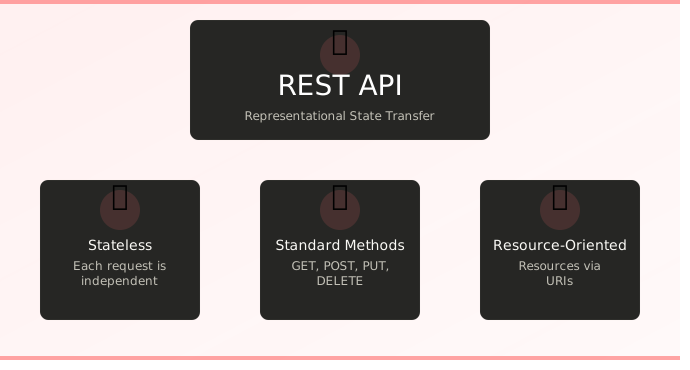
- stateless
- cacheable
- uniform interface
- client server
- layered system
- code on demand
Let me elaborate on the above constraints:
Client Server
REST API follows client server architecture where client acts as the trigger system and server services the request from client with a response.
Stateless
The term stateless is that the server does not hold the state of the request, the client is responsible in keeping the entire state of the session.
Cacheable
Due to stateless constraint efficiency takes a hit, to overcome this and improve the efficiency client side caching is allowed. This comes with the advantage of improving the efficiency but also the disadvantage of not getting the latest data from the server.
Uniform Interface
Standard HTTP methods like GET, POST, PUT, PATCH, DELETE etc. + URI (uniform resource identifiers) are used by REST API which is a uniform interface for communicating between client and server
Layered Component
In layered component architecture each component cannot see beyond the immediate layer it is interacting.
Code on demand
REST provides client with the capability to execute code in the form of script or applets.
What is idempotency in REST?
When talking about REST one must mention about “Idempotency” . In context of REST, idempotency is a property where making multiple identical requests has the same effect on the server’s state as making a single request.
REST Methods
The most common REST methods are listed and described below:
- GET - Retrieves data (or representation of a resource) from server.
- POST - Push/submit data to the server to create a new resource or trigger an action(side effect). This method is not idempotent and same back to back post requests results in two new POST requests to server.
- PUT - Updates existing resources with submitted data. It is idempotent. If the resource does not exist then it can create a new resource(the behaviour is dependent on the API design)
- PATCH - This method is used to partially modify data of existing resource unlike PUT where the whole data is modified, it is generally not considered safe as it has the ability to change server state and it is not idempotent by default.
- DELETE - Removes/deletes a specific resource from server.
- OPTIONS - Fetches the communication options(like methods supported) for a resource/end point.
- HEAD - Retrieves only headers and not the body. It can be used as a check of existence of a resource without transferring the entire data.
What is CORS in REST?
CORS is an acronym for ‘Cross Origin for Resource Sharing’. It is a feature in which one domain can access data/resources from different domain. CORS should be enabled in REST API to avoid the default block by same-Origin policy.
When to use
- Third party integrations to your website - for e.g., a payment processors, link social media platforms or link mapping services
- IoT devices - Helps IoT devices to communicate with cloud platforms & systems with minimum bandwidth.
- Cloud Computing & Microservices
- Public facing API - REST API is best to expose API which is widely consumed by developers using various programming languages and applications.
- Good for managing data operations on server (CRUD operations)
When not to use REST API?
- Simple traditional website - for e.g., a text based website querying static data from database.
- High performance and low latency applications - The stateless nature of REST might hinder performance.
- Specialised internal only microservices - An internal system where client and server is controlled by the same team the strict constraints of REST are unnecessary.
- Security - REST APIs don’t have built-in security. The developers must manually implement robust security measures increasing the risk of misconfigurations and vulnerabilities if not handled by experts. Built-in security is found in older protocols like SOAP.
REST in action using DRF
Prerequisites
- Python (v3.13 used in this tutorial)
- Django module installed
Now let us build our own REST API using DRF which will solve the below problem statement.
Problem Statement
Develop REST API using DRF for inventory of a bakery. The API should be able to list all items, create a new item, update an item and delete an item.
Steps
1. Install django and django rest framework python modules
%pip3 install django djangorestframework
Collecting django
  Downloading django-6.0.1-py3-none-any.whl.metadata (3.9 kB)
Collecting djangorestframework
  Downloading djangorestframework-3.16.1-py3-none-any.whl.metadata (11 kB)
Collecting asgiref>=3.9.1 (from django)
  Downloading asgiref-3.11.0-py3-none-any.whl.metadata (9.3 kB)
Collecting sqlparse>=0.5.0 (from django)
  Downloading sqlparse-0.5.5-py3-none-any.whl.metadata (4.7 kB)
Downloading django-6.0.1-py3-none-any.whl (8.3 MB)
   ━━━━━━━━━━━━━━━━━━━━━━━━━━━━━━━━━━━━━━━━ 8.3/8.3 MB 40.0 MB/s eta 0:00:00
Downloading djangorestframework-3.16.1-py3-none-any.whl (1.1 MB)
   ━━━━━━━━━━━━━━━━━━━━━━━━━━━━━━━━━━━━━━━━ 1.1/1.1 MB 39.4 MB/s eta 0:00:00
Downloading asgiref-3.11.0-py3-none-any.whl (24 kB)
Downloading sqlparse-0.5.5-py3-none-any.whl (46 kB)
Installing collected packages: sqlparse, asgiref, django, djangorestframework
Successfully installed asgiref-3.11.0 django-6.0.1 djangorestframework-3.16.1 sqlparse-0.5.5
2. Start project and app using django - this creates the folder structure for us to get started
[]% django-admin startproject tastybites .
[]% ls
manage.py	tastybites
[]% cd tastybites
[tastybites] % ls
__init__.py	asgi.py		settings.py	urls.py		wsgi.py
[tastybites] % cd ..
[] % django-admin startapp biscuits
[] % django-admin startapp cakes
3. Sync DB
[]%python manage.py migrate
Operations to perform:
  Apply all migrations: admin, auth, contenttypes, sessions
Running migrations:
  Applying contenttypes.0001_initial... OK
  Applying auth.0001_initial... OK
  Applying admin.0001_initial... OK
  Applying admin.0002_logentry_remove_auto_add... OK
  Applying admin.0003_logentry_add_action_flag_choices... OK
  Applying contenttypes.0002_remove_content_type_name... OK
  Applying auth.0002_alter_permission_name_max_length... OK
  Applying auth.0003_alter_user_email_max_length... OK
  Applying auth.0004_alter_user_username_opts... OK
  Applying auth.0005_alter_user_last_login_null... OK
  Applying auth.0006_require_contenttypes_0002... OK
  Applying auth.0007_alter_validators_add_error_messages... OK
  Applying auth.0008_alter_user_username_max_length... OK
  Applying auth.0009_alter_user_last_name_max_length... OK
  Applying auth.0010_alter_group_name_max_length... OK
  Applying auth.0011_update_proxy_permissions... OK
  Applying auth.0012_alter_user_first_name_max_length... OK
  Applying sessions.0001_initial... OK
4. Define Models:
Models in django is used to define database fields used by the apps.
#biscuits/models.py
from django.db import models

# Create your models here.
class BiscuitStock(models.Model):
    name = models.CharField(max_length=200)
    price = models.IntegerField()
    quantity = models.IntegerField()
#cakes/models.py
from django.db import models

# Create your models here.
class CakeStock(models.Model):
    name = models.CharField(max_length=200)
    price = models.IntegerField()
    quantity = models.IntegerField()
5. Define Serializers:
Let us understand, “What are serializers?”
In the context of Django, serializers help convert(or serialize) complex data types like django models,
querysets into native python datatypes which then can be rendered into JSON, XML or anyother supported
format.
#biscuits/serializers.py
from biscuits.models import BiscuitStock
from rest_framework import serializers

class BiscuitStockSerializer(serializers.HyperlinkedModelSerializer):
    class Meta:
        model = BiscuitStock
        fields = ["name","price","quantity"]
#cakes/serializers.py
from cakes.models import CakeStock
from rest_framework import serializers

class CakeStockSerializer(serializers.HyperlinkedModelSerializer):
    class Meta:
        model = CakeStock
        fields = ["name","quantity","price"]
6. Define views:
Views in django are used to process web requests and return web response
#biscuits/views.py
from rest_framework import  viewsets
from biscuits.models import BiscuitStock
from biscuits.serializers import BiscuitStockSerializer


# Create your views here.
class BiscuitsViewSet(viewsets.ModelViewSet):
    queryset = BiscuitStock.objects.all().order_by("name")
    serializer_class = BiscuitStockSerializer
#cakes/views.py
from rest_framework import viewsets
from cakes.models import CakeStock
from cakes.serializers import CakeStockSerializer

# Create your views here.
class  CakeStockViewset(viewsets.ModelViewSet):
    queryset = CakeStock.objects.all().order_by("name")
    serializer_class = CakeStockSerializer
7. Define urls
In django urls.py is used for mapping different web address(url’s) to their corresponding python functions or views
#tastybites/urls.py
from django.urls import include,path
from rest_framework import routers

from biscuits.views import BiscuitsViewSet
from cakes.views import CakeStockViewset

router = routers.DefaultRouter()
router.register(r"biscuits",BiscuitsViewSet)
router.register("cakes",CakeStockViewset)

urlpatterns = [
    path("",include(router.urls))
]
8. In settings.py add ‘rest_framework’,’biscuits’,’cakes’ to INSTALLED_APPS
INSTALLED_APPS = [
    'biscuits',
    'cakes',
    'django.contrib.admin',
    'django.contrib.auth',
    'django.contrib.contenttypes',
    'django.contrib.sessions',
    'django.contrib.messages',
    'django.contrib.staticfiles',
    'rest_framework',
]
9. Run makemigrations for each app to define DB schema followed by migrate to sync DB
[]% python manage.py makemigrations biscuits
Migrations for 'biscuits':
  biscuits/migrations/0001_initial.py
    + Create model BiscuitStock
[]% python manage.py makemigrations cakes
Migrations for 'cakes':
  cakes/migrations/0001_initial.py
    + Create model CakeStock
python manage.py migrate
Operations to perform:
  Apply all migrations: admin, auth, biscuits, cakes, contenttypes, sessions
Running migrations:
  Applying biscuits.0001_initial... OK
  Applying cakes.0001_initial... OK
10. Folder structure
[]% find .
./cakes/migrations/__init__.py
./cakes/migrations/0001_initial.py
./cakes/models.py
./cakes/serializers.py
./cakes/__init__.py
./cakes/apps.py
./cakes/admin.py
./cakes/tests.py
./cakes/views.py
./db.sqlite3
./manage.py
./biscuits/migrations/__init__.py
./biscuits/migrations/0001_initial.py
./biscuits/models.py
./biscuits/serializers.py
./biscuits/__init__.py
./biscuits/apps.py
./biscuits/admin.py
./biscuits/tests.py
./biscuits/views.py
./tastybites/asgi.py
./tastybites/__init__.py
./tastybites/settings.py
./tastybites/urls.py
./tastybites/wsgi.py
11. Run your server
python manage.py runserver
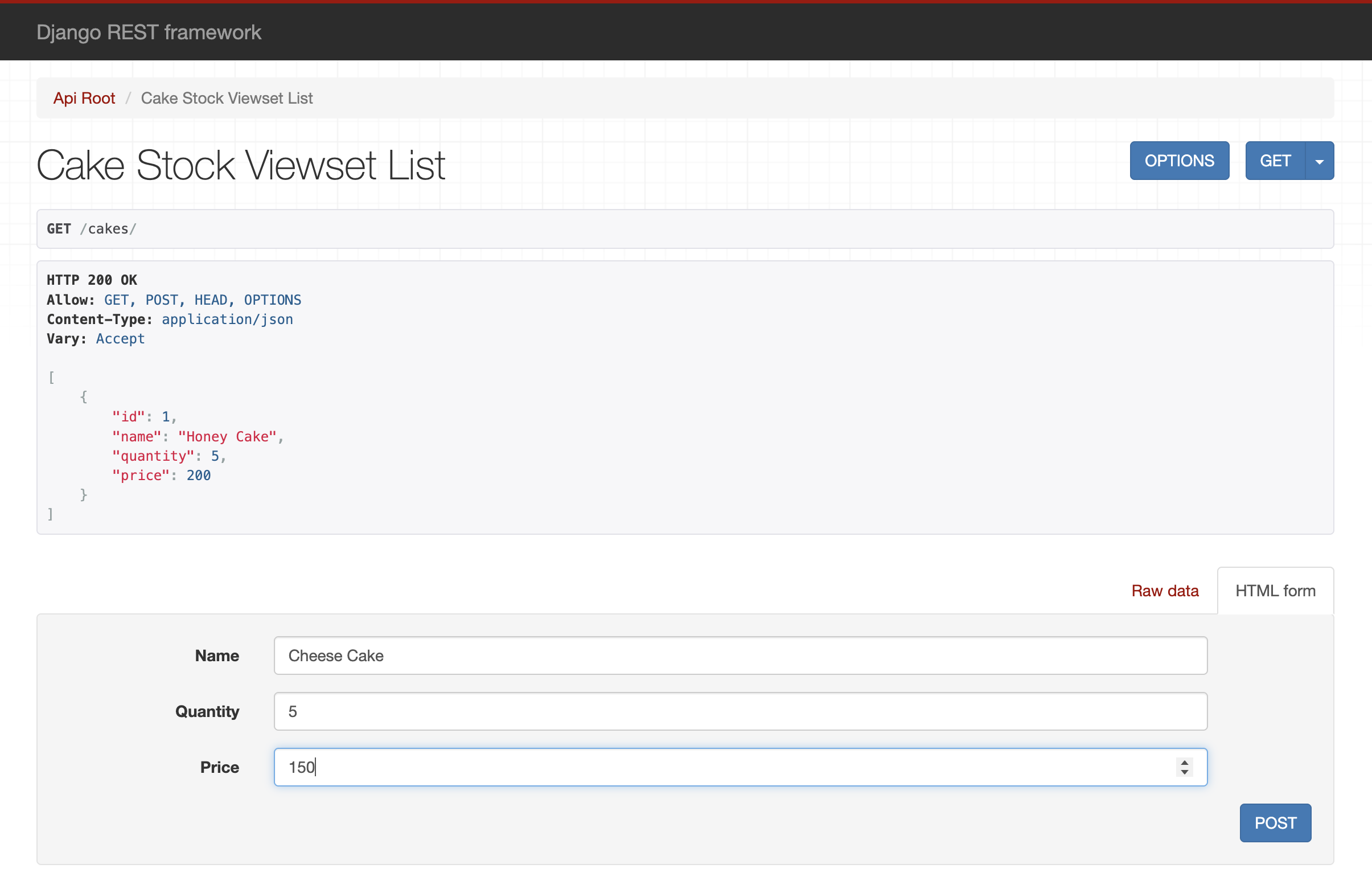
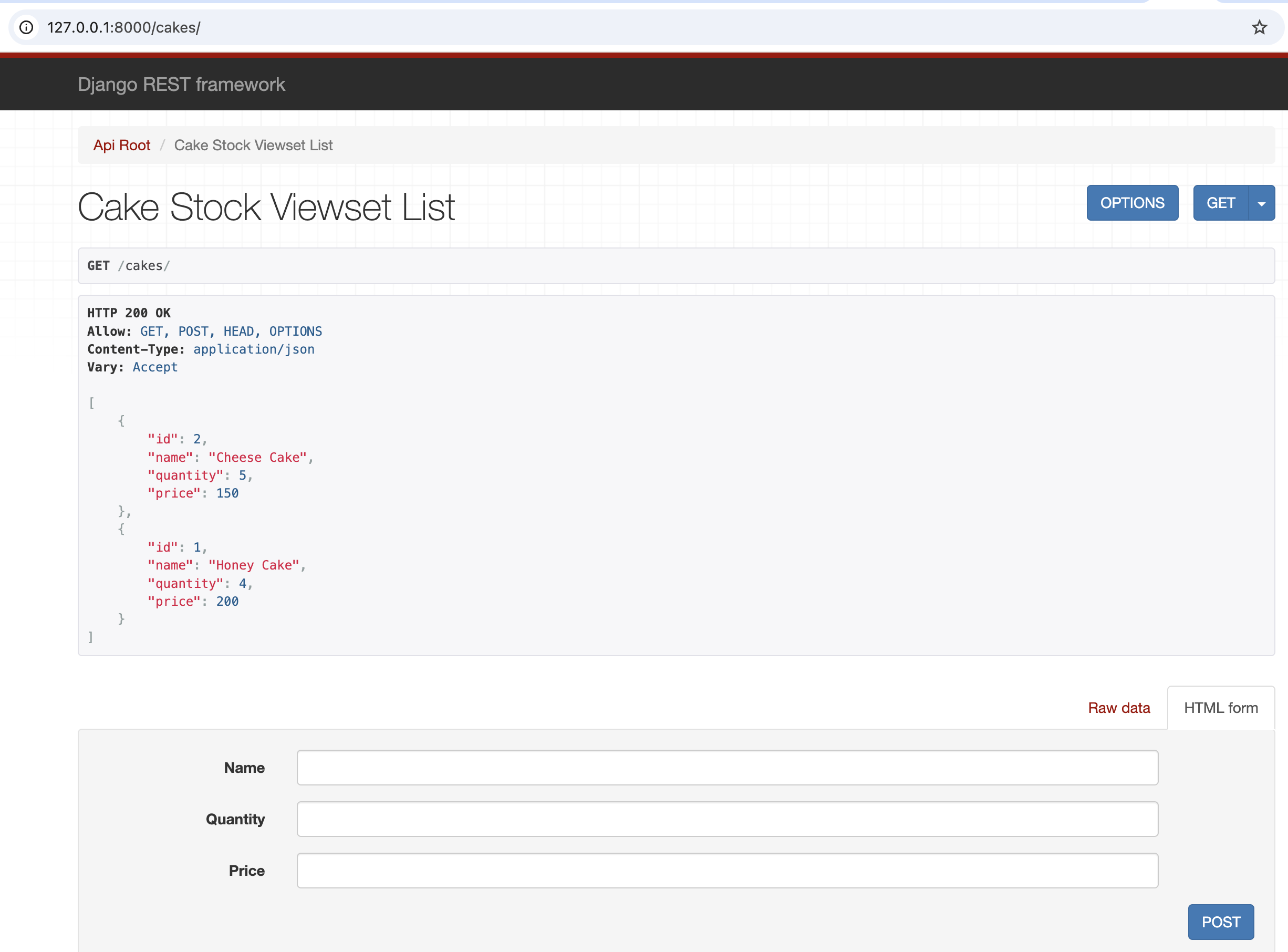
12. Navigate to http://127.0.0.1:8000 in your browser which lists items using “GET” and create an item using “POST”
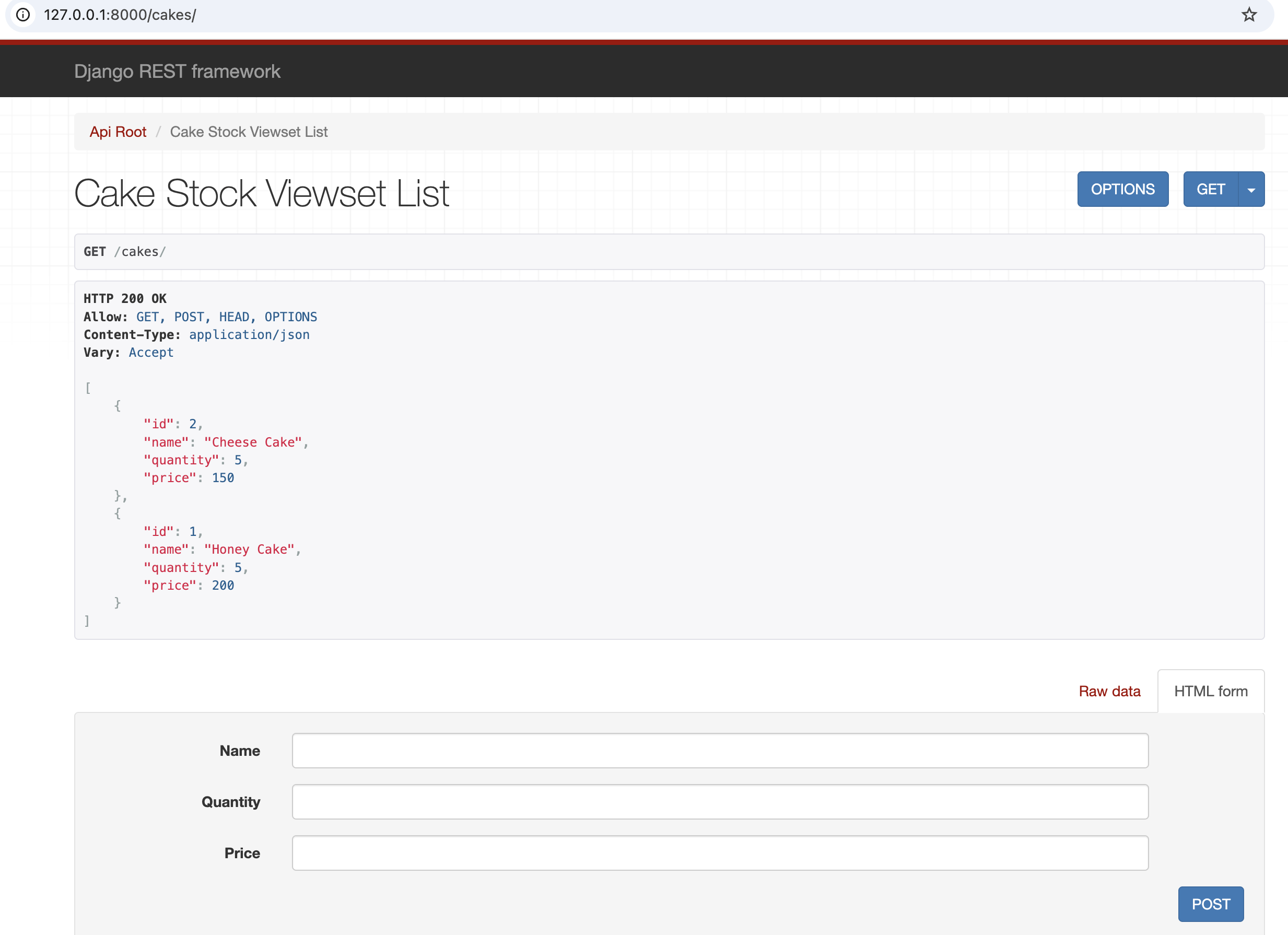
13. Created an item
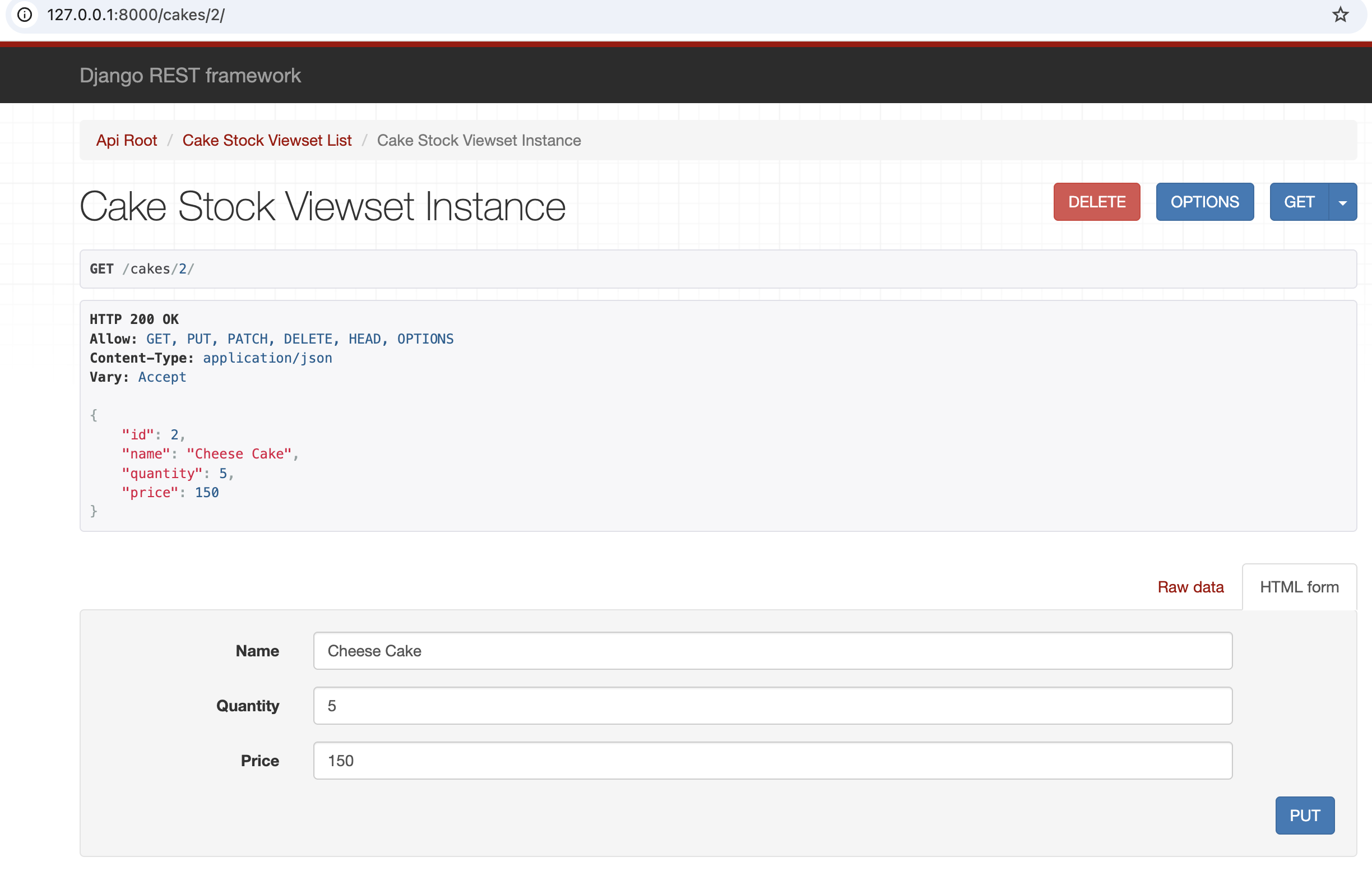
14. Update an item using “PUT” after navigating to http://127.0.0.1:8000/cakes/2
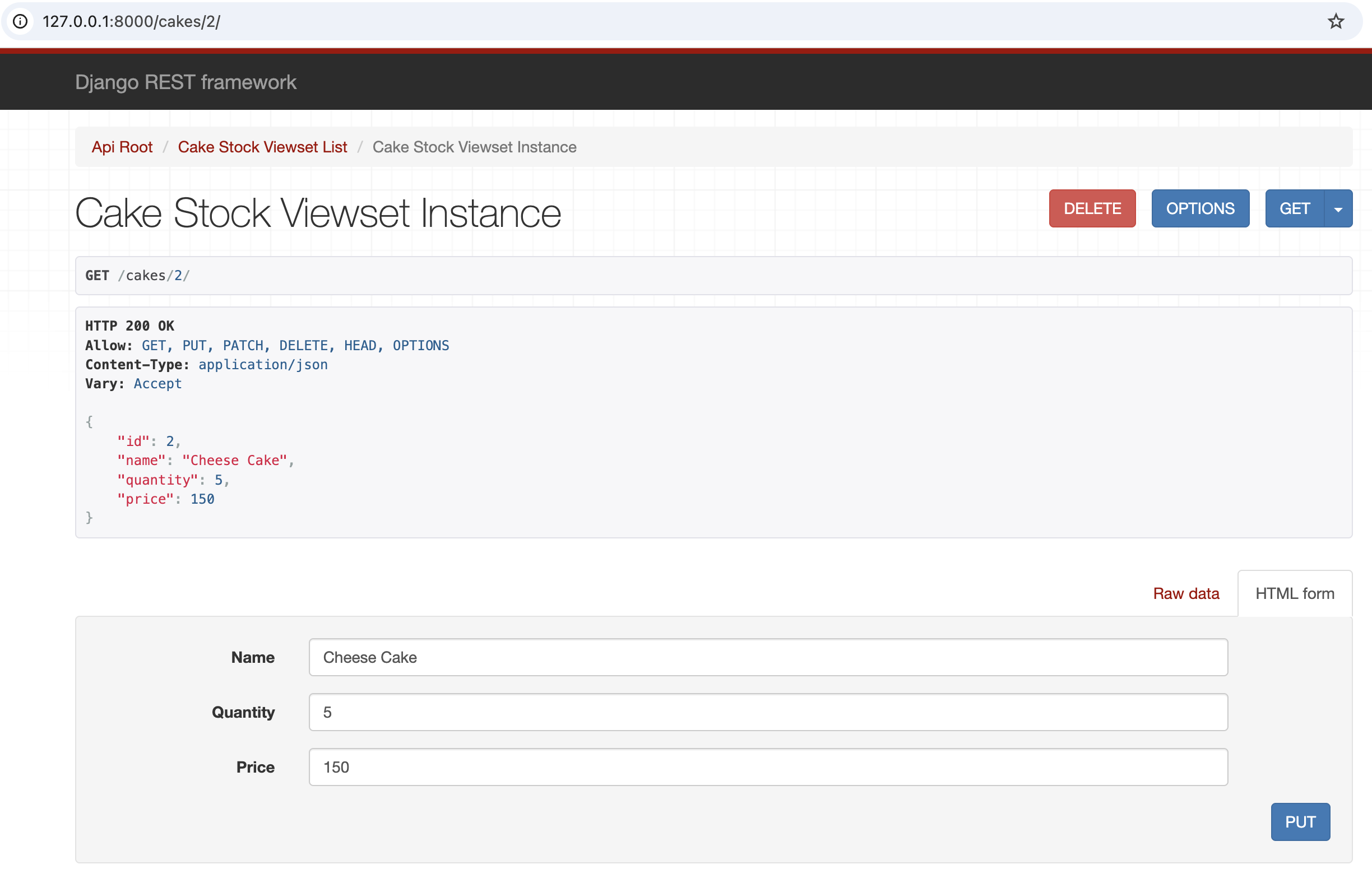
15. Quantity field updated
16. Delete an entry using “DELETE” after navigating to http://127.0.0.1:8000/cakes/2
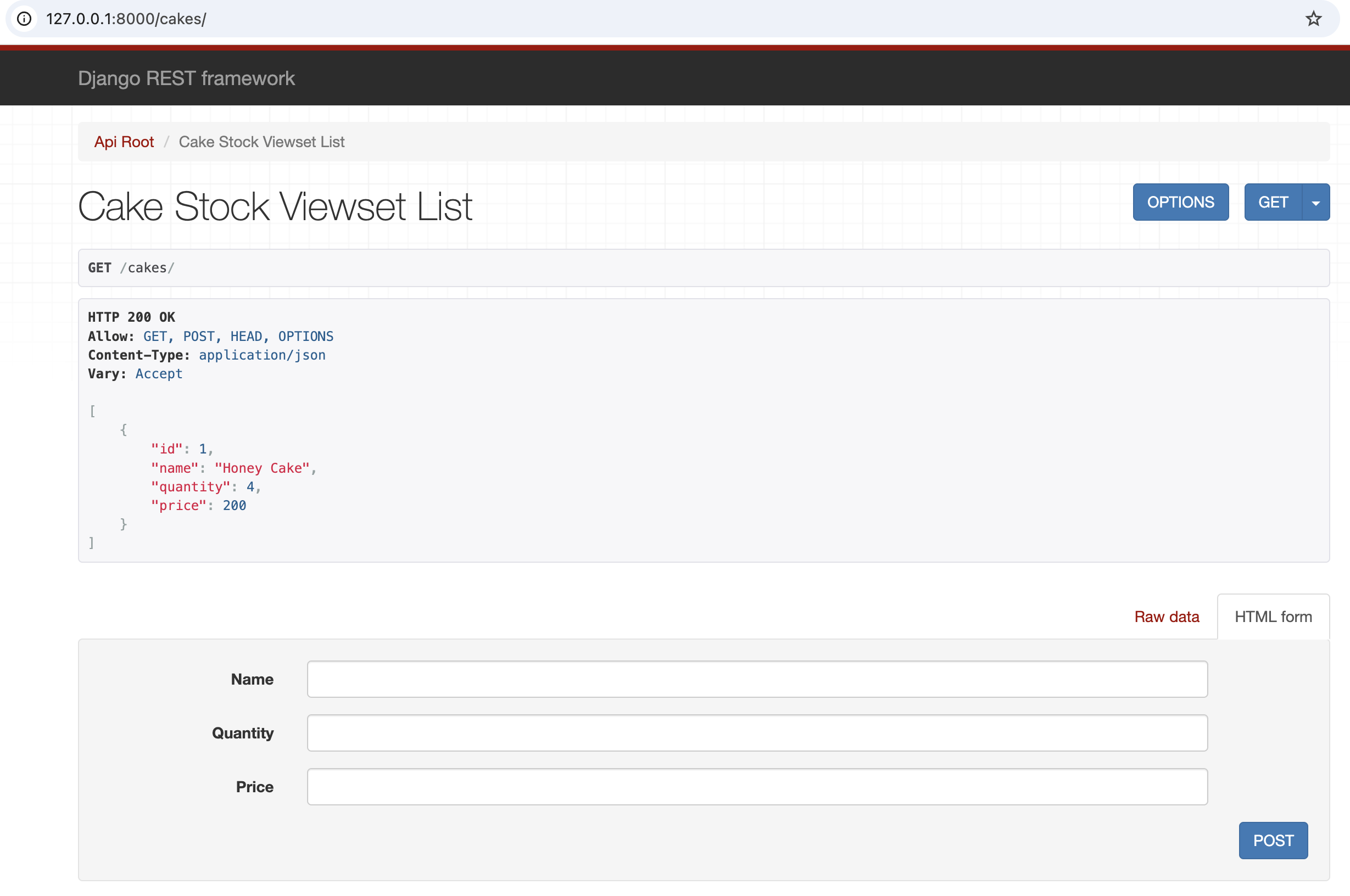
16. Deleted an entry
Link to github for you to fork and build
https://github.com/rsathyendhra/django-rest-framework-sample
Reference
- https://www.django-rest-framework.org/tutorial/quickstart/